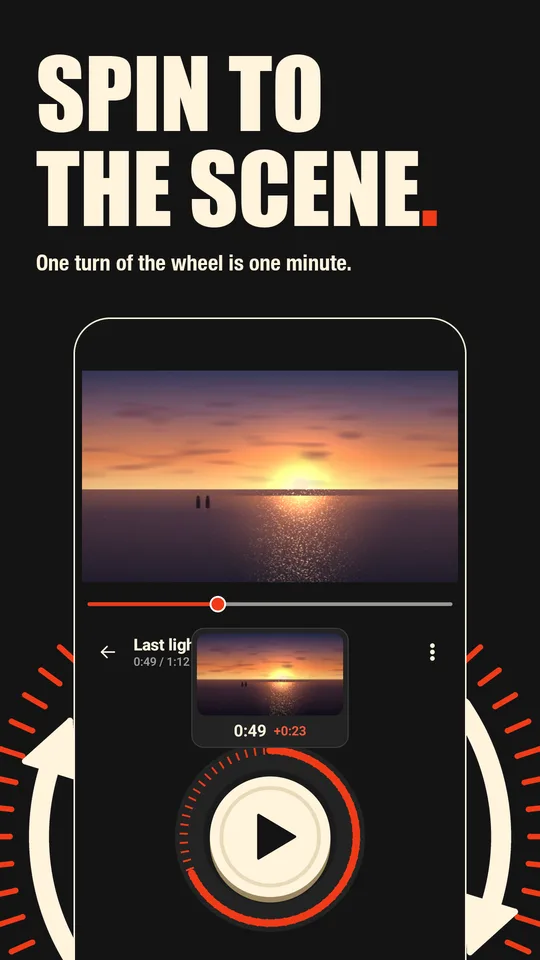
Spin to the scene.
Put your thumb on the ring and turn. One turn is a minute of film. Slide your thumb just outside the ring and a turn is ten seconds, for the exact frame. Let go and it plays from there.
- TicksA small click under your thumb for every step, a firmer one on each chapter.
- FlickSpin it hard and it coasts, then settles.
- FastHold the Fast key and a turn is five minutes.
- LandscapeA thin seek bar, and the rim of the Play key jogs too.
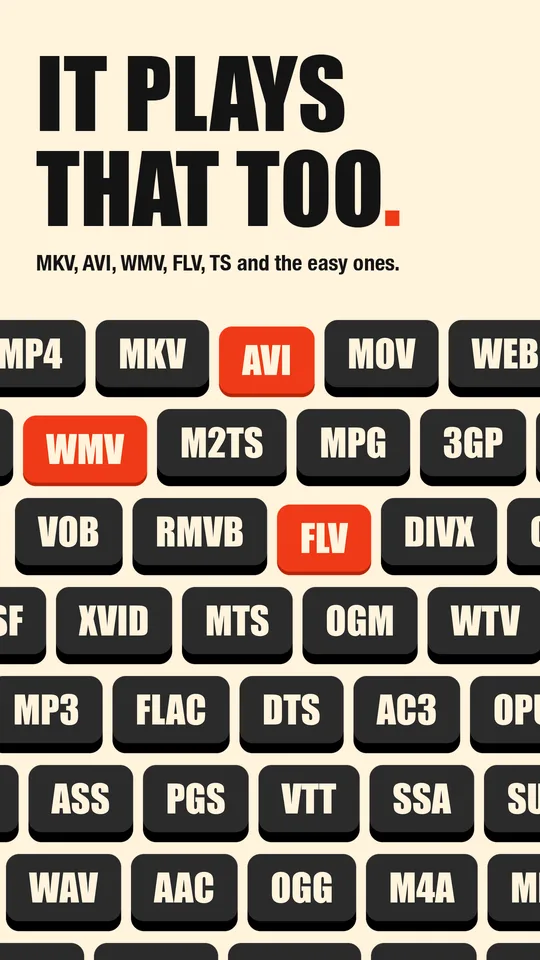
It plays that too.
The MKV a friend sent, the AVI from 2009, the TS file off the set-top box. If your phone's own decoder gives up, SimPlayer switches to its built-in one and tries again. If a file still won't play, it tells you why in plain words.
- MKV
- MP4
- AVI
- WMV
- MOV
- FLV
- RMVB
- VOB
- TS
- WebM
- MXF
- ISO
- 4K
Video and sound inside them
- H.264
- Hi10P
- HEVC
- H.266
- VP9
- MPEG-2
- MPEG-4
- AAC
- MP3
- FLAC
- Opus
- Vorbis
- DTS
- Dolby Digital
- WMA
Subtitles
- SRT
- ASS
- SSA
- WebVTT
- PGS
- VobSub
- In the MKV
Copy-protected (DRM) files and disc menus are not supported.
Have a look.

The rest of the deck.
The key and the wheel are the loud part. This is the quiet part, and there is a lot of it.
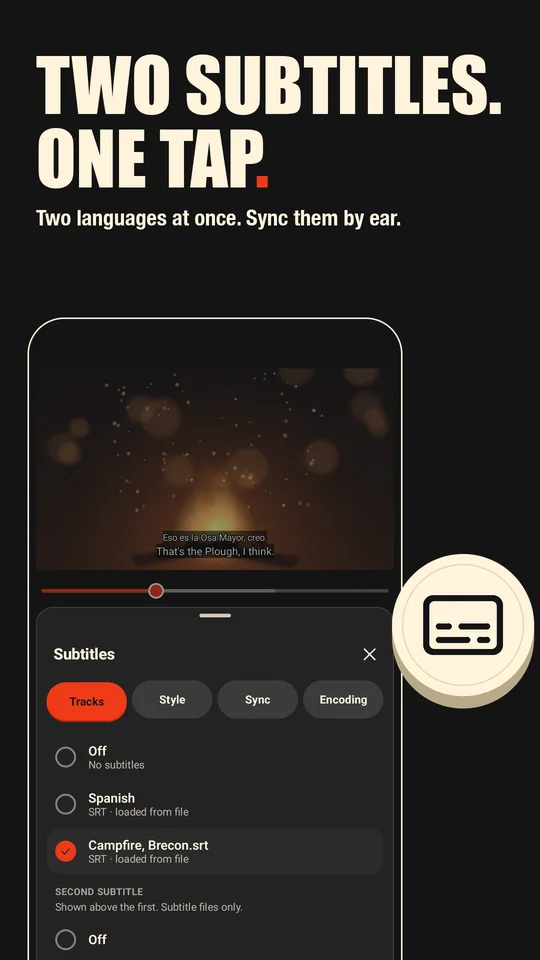
Two subtitles. One tap.
Your film in Spanish, the subtitles in Spanish and English, one above the other. A subtitle file saved next to the video loads on its own.
- SRT, ASS/SSA and WebVTT, plus the tracks inside MKV and MP4
- Sync by ear: tap when you hear a line, tap when you see it
- Bigger, another colour, or dragged out of the way
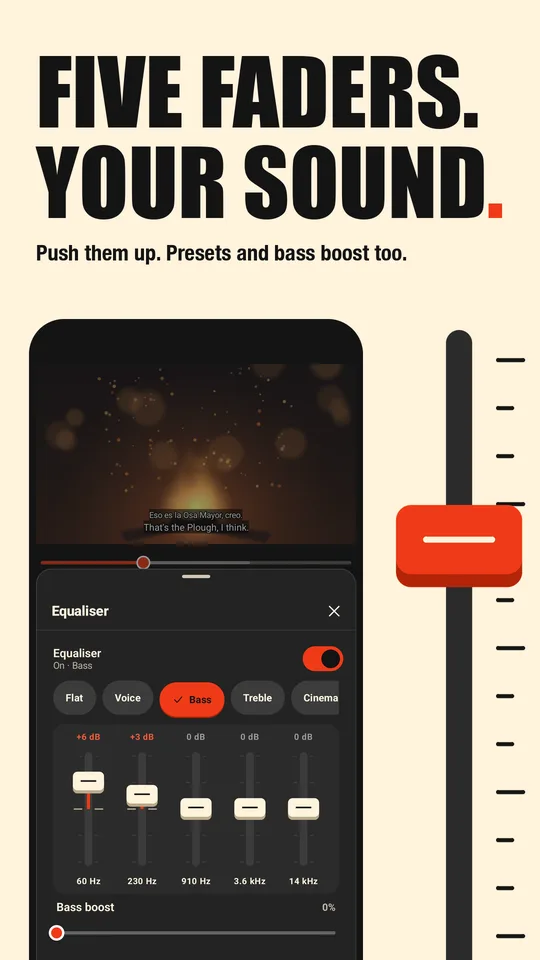
Five faders. Your sound.
Five faders with caps you push like keys. Presets Flat, Voice, Bass, Treble and Cinema, or your own. Try them:
- Bass boost, and volume boost up to 200% for films mixed too quietly
- Night mode keeps explosions down and voices up (Android 9 and later)
- Every audio track listed with its language and channels
Jump to the good part.
Chapters show as notches on the wheel and marks on the seek bar, with their names in a list. Bookmark a scene and it gets a marker too.
- Step one frame at a time
- Save the frame as a picture
- Double-tap a side to skip; taps add up
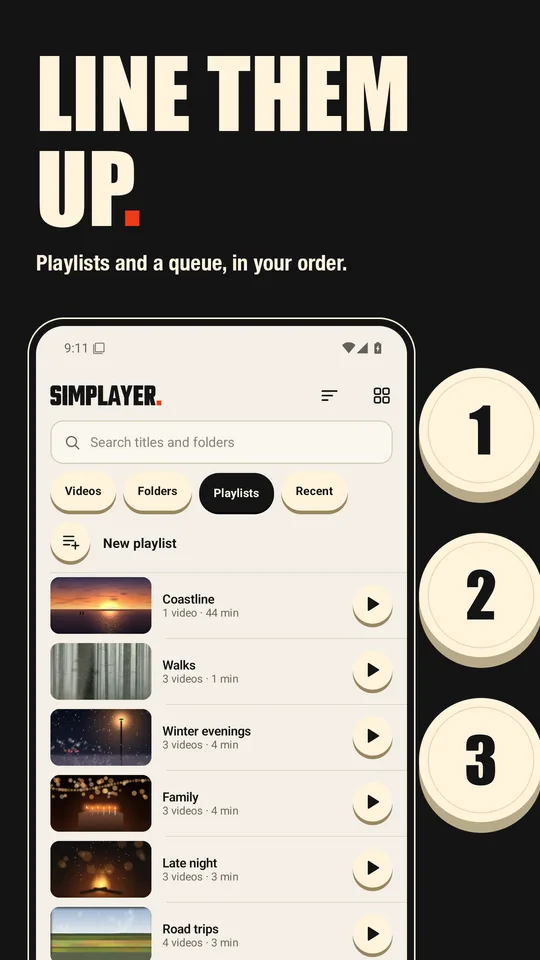
Line them up.
Playlists of your own videos, a queue you can reorder while you watch, loop one video or a whole folder, or shuffle.
- Continue watching at the top of the library
- Search, filters and six ways to sort
- A home screen widget that resumes in one tap
Hold for 2x.
Press and hold the picture to play faster; slide while holding to pick the speed. Let go and it is back to normal. Any speed from 0.25× to 4×.
- Swipe for brightness on the left, volume on the right
- Pinch to zoom up to 400%
- Lock the screen before you hand the phone to a child
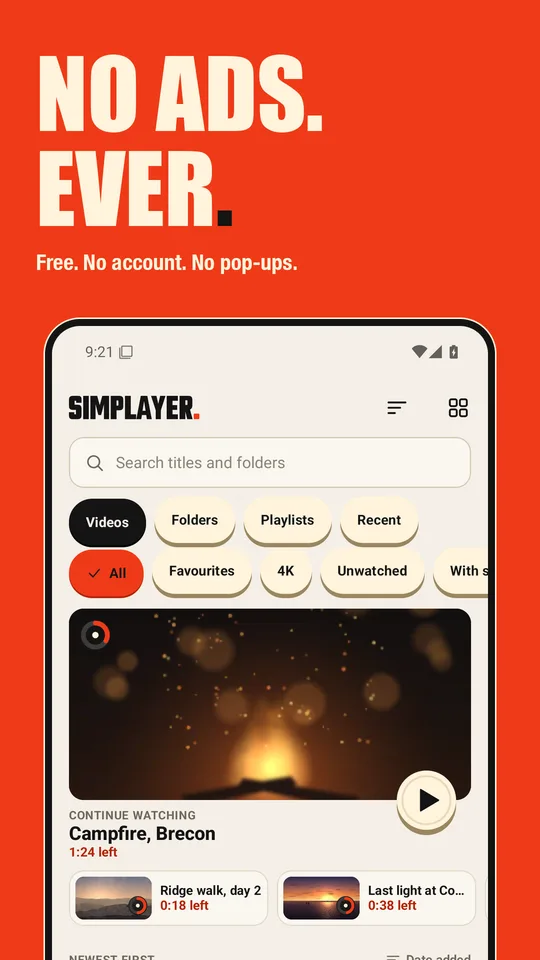
No ads. Ever.
You know the moment. The film is about to give up its secret and an ad for a phone game fills the screen. That never happens in SimPlayer. There is not one ad in it, not even a small banner, and it costs nothing: no account, nothing to buy.
What does leave your phone: usage statistics and crash reports, sent through Google's Firebase so we can see what breaks and which features get used. Your videos, their names and their folders never go anywhere, and the advertising ID is not touched.
Don't want that? One switch turns it off, and the app works exactly the same:
SettingsAbout & privacyShare usage statistics and crash reports
All the keys.
63 features, grouped. Each one links to a short paragraph on the full feature list.
The Play key and the jog wheel
- The Play key One big key to play and pause. It clicks down when a video opens.
- Jog wheel Spin the ring round the Play key to seek: one turn is a minute.
- Keys you can choose −10, speed and +30 as keys, and four small keys you pick yourself.
Playback and formats
- Almost every video and audio format MKV, MP4, AVI, WMV, MOV, FLV, RMVB, VOB, MPEG-TS, WebM, MXF and DVD ISO and more, with no codec packs.
- Common video and audio codecs Over 400 codecs: H.264 Hi10P, HEVC, H.266, VP9, DTS, Dolby Digital, WMA and the rest.
- Up to 4K Plays 4K video on phones whose hardware can decode it.
- Compatibility mode A built-in decoder plays files your phone's own decoder can't.
- Clear error messages If a file still can't play, SimPlayer says why and offers another app.
- Carries on where you stopped Every video resumes at the second you left it, with Start over one tap away.
- Works offline Playing the videos on your phone needs no connection.
- Open from other apps Open a video from your files app, gallery or downloads with SimPlayer.
Sound and equaliser
- Equaliser with five faders Five bands, presets Flat, Voice, Bass, Treble and Cinema, and your own setting.
- Bass boost Adds weight to music and explosions, on top of the equaliser.
- Volume boost up to 200% For films that are too quiet, with a reminder about your hearing.
- Night mode Softens loud scenes and lifts quiet voices (Android 9 and later).
- Every audio track listed Choose a track by its language and channels.
- Audio delay Fix out-of-sync sound in 50 ms steps.
- Background audio Keeps the sound going with the screen off, with notification controls.
Subtitles
- Subtitles load on their own SRT, ASS/SSA and WebVTT files next to the video, plus tracks inside it.
- Two subtitles at once Show two languages together, for learning or for a shared sofa.
- Subtitle sync, by ear Nudge the timing in 50 ms steps, or tap when you hear and see a line.
- Subtitle size, colour and position Change size, colour and background, and drag subtitles to move them.
- Styled ASS subtitles Anime-style ASS subtitles keep their fonts, colours and positions.
- Subtitle encoding Fix squares or odd letters by choosing the file's language.
Gestures and controls
- Brightness and volume swipes Swipe on the left for brightness, on the right for volume.
- Seek with a frame preview Drag across the picture and see where you'll land before you let go.
- Double-tap to skip Double-tap a side to skip back or forward; taps add up.
- Hold to play faster Hold to speed up, and slide while holding to pick the speed.
- Pinch to zoom Zoom up to 400% and move the picture around.
- Speed from 0.25× to 4× Fine steps of 0.05×.
- A-B repeat and loop Repeat a section, one video or a whole folder, or shuffle.
- Sleep timer Stops playback after a set time.
- Screen lock Lock the controls before you hand the phone over.
- Choose your controls Pick the buttons the player shows; turn off any gesture.
- Keyboards, remotes and TalkBack Space, arrows, J, K and L; D-pad support; controls stay on screen with TalkBack.
Chapters and moments
- Chapters Named chapters on the seek bar, the wheel and in a list.
- Bookmarks Save a scene and jump back to it from a marker on the seek bar.
- Screenshots of a frame Save the frame you're watching as a picture.
- Frame by frame Step one frame at a time.
Library
- Continue watching The videos you have started, ready to resume.
- All videos or by folder Browse everything at once or folder by folder.
- Search and filters Search by title or folder; filter by Favourites, 4K, Unwatched, With subtitles, In progress.
- Sorting By name, date, duration, size, resolution or last played.
- Favourites Star the videos you come back to.
- Rename, share and trash with undo Tidy up your videos without leaving the app.
- Hide folders Keep a folder out of the library.
- History and private session See what you watched, clear it, or turn on a private session.
Playlists and queue
- Playlists Save videos to a playlist in the order you want.
- Play next and queue Choose what plays next and reorder the queue as you go.
Keeps playing
- Picture-in-picture Press Home and the video carries on in a small window.
- Continue watching widget Back to what you were watching in one tap, from the home screen.
- App shortcuts Touch and hold the SimPlayer icon to resume a recent video.
Links and streams
- Web links and streams Open http or https video links, HLS and RTSP streams.
- M3U lists and saved links Open an M3U list and save your links by name.
Look, languages and devices
- Two looks Paper is light and quiet; Dark room is dark, with big artwork.
- Light, dark and pure black Or follow your phone's theme. The player itself is always dark.
- 50 languages The app speaks 50 languages, with a per-app language on Android 13+.
- Phones and tablets, Android 7.0+ Runs on Android 7.0 and later, and it is light: about 10 MB to download.
Free, no ads, your data
- No ads, ever Not before the film, not in the middle of it.
- Free, no account No sign-in, no subscription, no in-app purchases.
- Your videos stay on your phone Video files, their names and folders are never uploaded.
- Usage statistics you can switch off Usage statistics and crash reports via Firebase, with no video names; one switch turns them off.
- Backup and restore Save your settings, history, favourites, bookmarks and playlists to a file.
Fair questions.
Is there a video player for Android with no ads at all?
Yes, this one. SimPlayer is free and shows no ads: no banners, no pop-ups, no video ad before your film or in the middle of it. There is no account, no subscription and nothing to buy inside the app.
What happened to Matinee?
Matinee is now called SimPlayer. It is the same app from the same developer, with the same package on Google Play, so an update keeps your history, playlists and settings. Only the name and the look changed, and the player gained the Play key and the jog wheel.
How does the jog wheel work?
In portrait the big Play key sits inside a ring. Put your thumb on the ring and turn it: one full turn moves the film one minute. Slide your thumb just outside the ring and a turn is ten seconds, for the exact frame; hold Fast and a turn is five minutes. You feel a small tick for every step, and chapters show as notches on the ring. The normal seek bar is still there under the picture.
Will it play my MKV with subtitles?
Yes. SimPlayer plays MKV files with their built-in subtitle tracks, and loads an SRT, ASS/SSA or WebVTT file saved next to the video on its own. You can show two subtitles at once and fix the timing in 50 ms steps, or by ear.
Which formats does SimPlayer play?
Plays almost every video and audio format with no codec packs: MKV, MP4, AVI, WMV, MOV, FLV, RMVB, VOB, MPEG-TS, WebM, MXF, DVD ISO and more, over 400 codecs including H.264 Hi10P, HEVC, H.266, DTS, Dolby Digital and WMA, plus SRT, ASS, PGS and VobSub subtitles. Copy-protected (DRM) files and disc menus are not supported. Up to 4K. When the phone's own decoder can't handle a file, a built-in compatibility mode plays it instead. If a file still can't play, SimPlayer tells you why.
How big is it? Will it run on my old phone?
It is about a 10 MB download (the exact size depends on your phone) and runs on Android 7.0 and later, on phones and tablets. It uses the phone's hardware decoder first, which is easy on the battery.
Does SimPlayer collect any data?
Some, and you can switch it off. To fix crashes and see which features get used, SimPlayer sends usage statistics and crash reports through Google Analytics for Firebase and Firebase Crashlytics. Your videos, their names and folders never leave your phone, and the advertising ID is not used. Turn it off in Settings › About & privacy › Share usage statistics and crash reports. The privacy policy lists every detail.
Does it work without internet?
Yes. Playing the videos on your phone needs no connection. The network is used only for links you open yourself and, unless you switch them off, for usage statistics and crash reports.
Can I keep watching in a small window or with the screen off?
Yes. Press Home and the video carries on in a picture-in-picture window. Turn on Keep audio playing to listen with the screen off, with controls in the notification shade.
Can I cast to my TV?
Not in this version. SimPlayer plays on the phone or tablet it is installed on.
Do I need an account or have to pay for anything?
No. There is no account and no sign-in, and nothing to buy. Open the app and press play.
More help, and what to do when a file won't play: Support.
10 MB. That's it.
About a 10 MB download, so it fits on the phone that is already full. Android 7.0 and later, phones and tablets, 50 languages.