
Stop passing your phone around.
Sunday lunch, twelve people, and the holiday photos are on one small phone going hand to hand. Someone zooms in on the wrong thing. Someone else drops it in the gravy. CastHero puts them on the TV instead: tap the TV, tap the album, and everyone sees the same picture at once.
- Free, no ads
- No account
- Android 8.0 or newer
- Phone and TV on the same Wi-Fi
What it casts
If it's on your phone, it can go on the TV.
CastHero streams straight from your phone to the TV across your own Wi-Fi. Nothing is uploaded first, so it starts quickly and your files stay yours.
Photos
Pick one or a whole album with Android's own photo picker and run it as a slideshow at the pace you like. CastHero only sees the ones you pick.
Videos
The clips from your camera, played on the TV. Pause, seek and skip from the phone, or from the notification while you do something else.
Music
Songs, albums or artists from your phone through the TV speakers, with the album art on screen.
Web video
Open a page in CastHero's browser, and when the page has a video to play, a cast bar appears. Tap it. A pop-up and tracker blocker is built in.
IPTV
Add the M3U playlist you already have, by link or file. Channels come grouped, searchable, with favourites. CastHero doesn't sell or supply channels.
Links
Paste a video or audio address, or share one to CastHero from another app. Live streams too.
Works with
The TV you already have.
CastHero looks around your Wi-Fi, lists the TVs it finds, and tells you what each one needs. Most need nothing.
Roku
Free CastHero channel
Roku players and Roku TVs. CastHero adds its channel the first time you connect, and the phone becomes a full Roku remote.
Android TV and Google TV
Free CastHero TV app
Install it once from Google Play on the TV and open it. It receives your casts, and the phone works as its remote.
Anything with a web browser
4-digit code
A TV, a laptop, a games console: open the address CastHero shows, type the code, and that screen plays your cast. Nothing to install.
What plays depends on the TV's own decoders, and CastHero says so when a file won't play instead of leaving you staring at a black screen. Netflix, Disney+, Prime Video and other protected services can't be cast. CastHero doesn't mirror your screen.
Remote
The remote is down the side of the sofa again.
Leave it there. The app you cast with is also the remote.
- A full Roku remoteD-pad, OK, Back, Home, playback and volume. Type searches with your phone keyboard and open channels by their icons.
- Android TV and Google TVWith the CastHero TV app open, the phone covers the main keys.
- Whatever is playingPlay, pause, seek, skip, volume and a sleep timer, from the app or the notification.
HEVC conversion
Filmed it on your phone, and the Roku says no?
Many phones record video in H.265 (HEVC) to save space. Older Roku players and some TVs can only play H.264, so the video just won't start. That's usually where the evening ends.
H.265 → H.264
- CastHero checks the TVOn a Roku it reads what the player can decode before it sends anything. On other TVs it notices when the TV turns the file down.
- It converts on your phoneA playable H.264 copy is made on the phone, with a progress bar and a Cancel button. Nothing is uploaded.
- The TV plays itThe working copy sits in the app's cache and is removed when you clear the cache or uninstall.
Privacy, in plain words
There is no CastHero server. Your photos have nowhere to go but your TV.
- Nothing is uploadedYour phone streams the file to the TV across your own Wi-Fi, only while you cast.
- No account, no ads, no CastHero serverNo sign-in and no advertising ID. CastHero sends anonymous usage statistics and crash reports to Google Firebase; turn them off in Settings. Also, when you cast to a Google Cast device, Google's Cast library sends usage and diagnostic data to Google.
- It sees only what you pickPhotos and videos come through Android's photo picker, so CastHero never browses your gallery. Music asks for audio access when you open Music.
- No location, camera or microphoneThe Nearby devices permission is used only to find TVs and is declared as never used for location.
Read the full privacy policy. It also covers the built-in browser, IPTV, the remote and what stays on your phone.
Real screens
What you'll see.
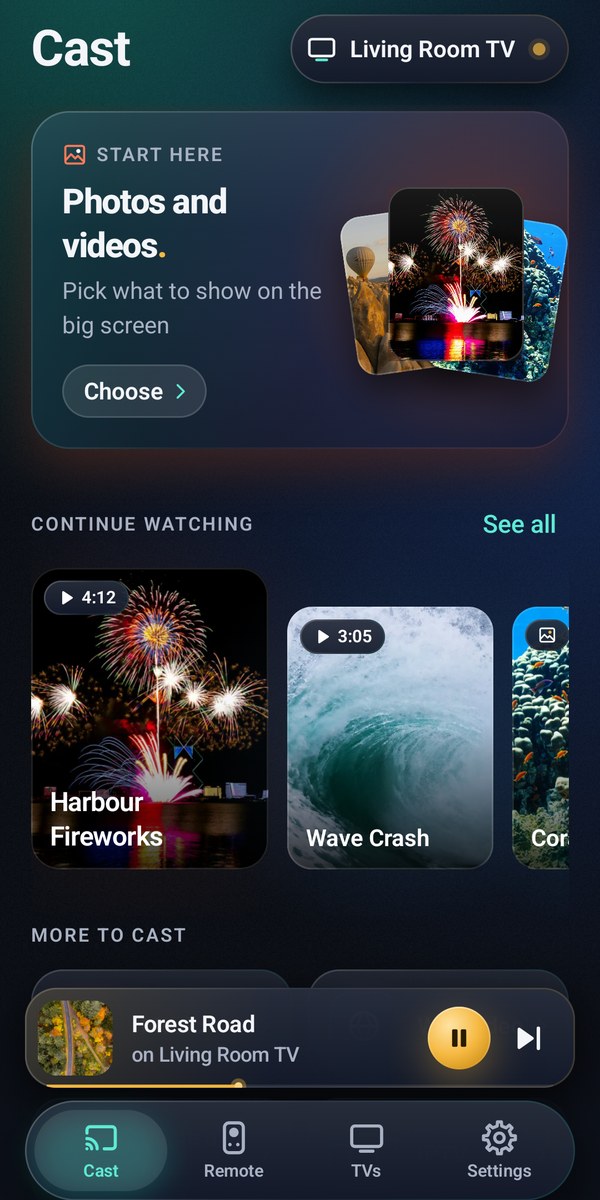
Your TV first, then your stuff 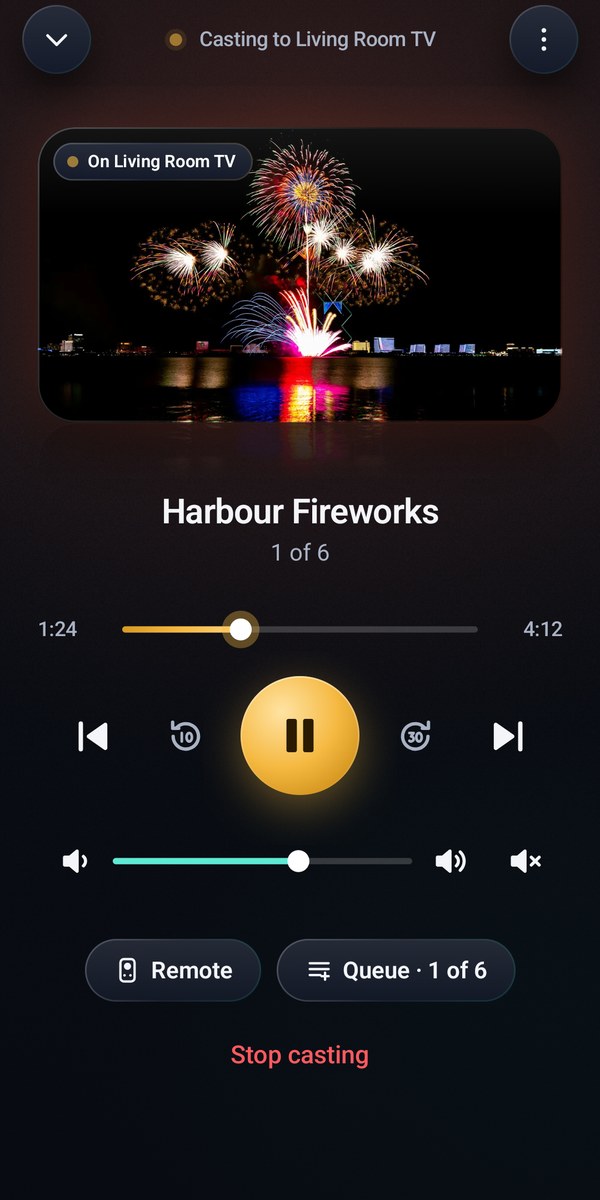
Your phone runs the show 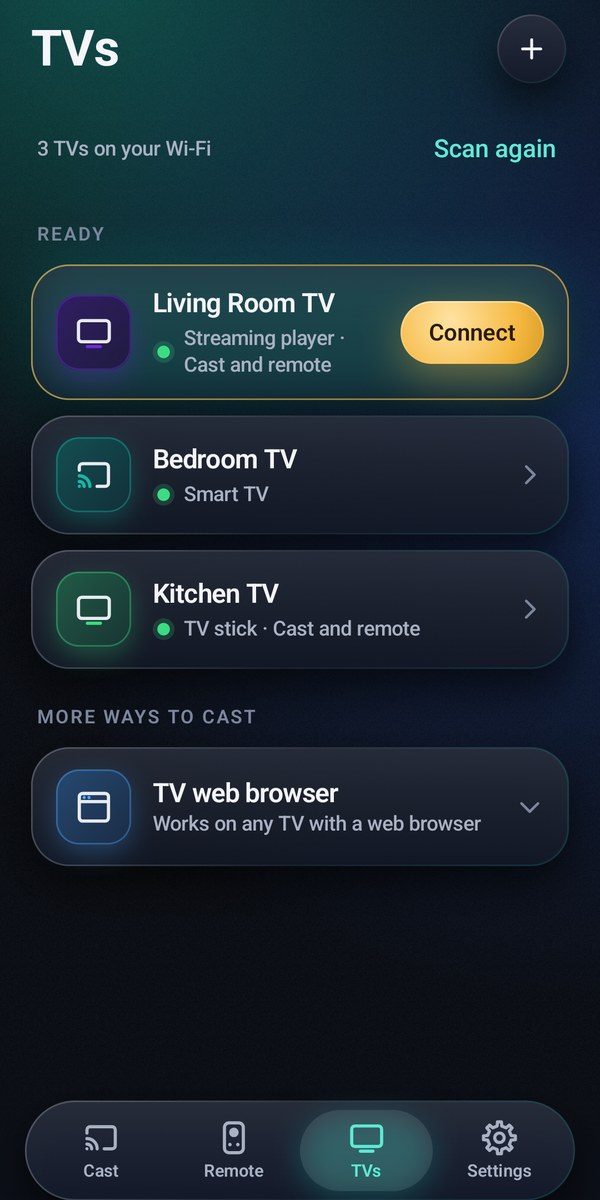
The TVs on your Wi-Fi
Questions
Asked before you install.
How do I cast from my Android phone to a Roku?
Put the phone and the Roku on the same Wi-Fi, open CastHero, tap your Roku in the TVs list, then pick a photo, video or song. The first time, CastHero adds its free channel to the Roku for you; after that it plays in a couple of seconds.
Does CastHero work with Android TV and Google TV?
Yes, through the free CastHero TV app: install it from Google Play on the TV and open it, and the phone sees the TV and works as its remote.
My TV has no CastHero app. Can I still cast to it?
Yes, if it has a web browser. CastHero shows an address and a 4-digit code; open the address in the TV's browser, type the code, and that screen plays your cast. It works on laptops and games consoles too.
Is CastHero free?
Yes. CastHero is free, with no ads, no in-app purchases, no subscription and no account.
Why won't the video I filmed on my phone play on my Roku?
Your phone probably recorded it in H.265 (HEVC), which older Roku players cannot decode. CastHero converts the video to H.264 on your phone, shows the progress, and then plays it.
Can I cast Netflix, Disney+ or Prime Video with CastHero?
No. Those services protect their video and CastHero does not get around that; use their own app on the TV. A YouTube link opens in the YouTube app on your TV.
Does CastHero mirror my phone screen?
No. CastHero sends the photo, video, song or stream you choose; it does not mirror the screen.
Is there an iPhone version of CastHero?
Not yet. CastHero is for Android phones and tablets running Android 8.0 or newer.
Does CastHero upload my photos or collect data?
Your files are never uploaded: they go straight from your phone to your TV across your own Wi-Fi. There is no CastHero server, no account and no ads. Two things to know: CastHero sends anonymous usage statistics and crash reports to Google Firebase (no titles, links, file names, TV names or IP addresses, and you can turn it off in Settings), and when you cast to a Google Cast device, Google's Cast library sends usage and diagnostic data to Google (see the Privacy Policy).
More answers on the support page: TV not found, Roku settings, the TV app, VPNs, IPTV.
Get CastHero.
Free on Google Play for Android phones and tablets. No ads, no in-app purchases, no account.
Stuck? Support and FAQ or [email protected].